

Data Cash APK 4.9.3
Download Data Cash APK to run a faster Android POS with electronic receipts, smart reports, and quick setup—built for modern shops and daily sales.
Introduction to Data Cash APK
Data Cash APK is the Android install package for Data Cash, a point-of-sale app from Telnet Data built around one clear promise: help you start selling fast while issuing electronic receipts in a cleaner, more modern workflow. Instead of wrestling with bulky POS hardware, you can configure a shop in a few steps, sync with an electronic register when needed, and keep day-to-day operations moving with less friction.
What makes it genuinely interesting is that it’s not trying to feel like “enterprise software.” The interface is meant to be approachable, but the features behind it—multi-operator access, multipayment, reporting, and integrations—are designed for real retail rhythm: rush hours, quick checkouts, and end-of-day accounting that doesn’t steal your night.
Key Features of Data Cash for Android
Smooth, beginner-friendly interface
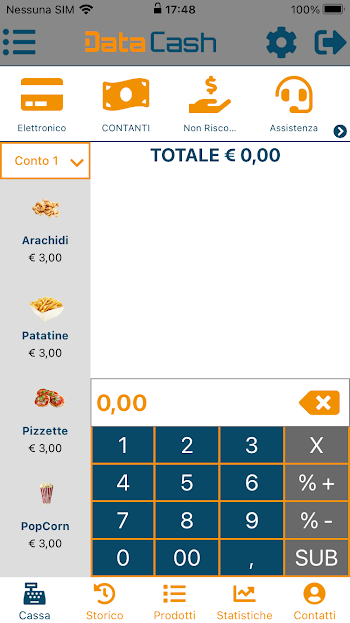
From the official description, the app is designed so you can configure your shop quickly and start selling immediately—meaning the navigation and main actions are built to be straightforward even for first-time users. That “start now” mindset matters in retail, where the best tool is the one your team can use without a long training session.
Useful tools and feature variety
Data Cash focuses on everyday POS essentials, but it also goes deeper with tools that reduce manual work: item database management, discounts, invoices, daily reports, and aggregated statistics that help you see what’s happening beyond a single transaction.
Customization that fits your style
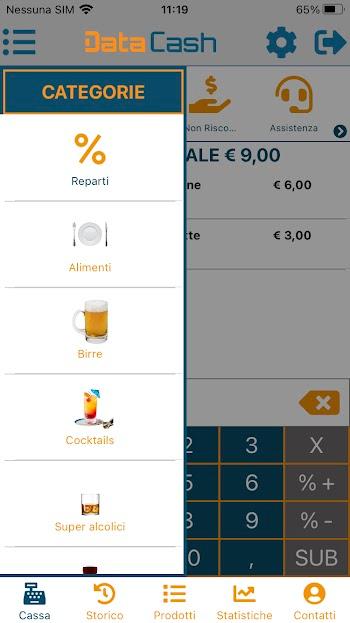
For shops that don’t operate the same way, flexibility matters. Data Cash supports configurable shop setup and a product database so your checkout flow matches how you actually sell—whether you’re scanning items quickly, applying common discounts, or handling different customer types.
Performance, stability, and consistent updates
This is business software, so updates aren’t just “nice to have.” The Google Play listing shows it’s maintained with ongoing fixes and refinements, including recent improvements tied to invoice data handling and electronic payment flow. Staying current helps keep operations stable as Android devices and fiscal workflows evolve.
Why You Should Use Data Cash?
Quick setup, instant usefulness
If you want a POS you can get running without overbuilding your setup, Data Cash is positioned as a fast start: configure the shop, connect what you need, and begin issuing electronic receipts as you sell.
Better control and productivity
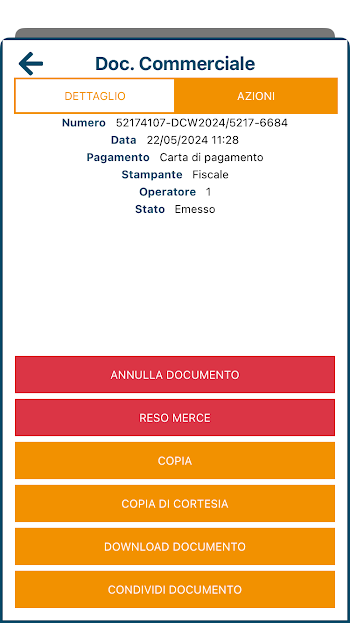
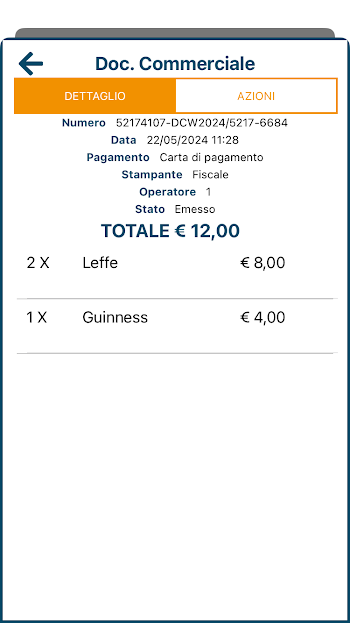
The value here isn’t only speed at checkout. It’s also control after checkout: sales visibility, report generation, and a clearer view of closure status and daily totals—especially useful if you hate “end-of-day surprises.”
Flexible usage for different users
Data Cash supports multi-operator and multi-account usage, which is ideal when you have staff rotations, different roles, or you want cleaner accountability by operator.
Connected features
For shops that want a smoother modern flow, Data Cash includes cloud synchronization and payment integrations—so you can reduce double entry, keep records safer, and avoid messy “one device holds everything” risk.
Tips and Tricks to Use Data Cash Better
Set up the essentials first
Before you start serving customers, spend a few minutes locking in your base setup: shop info, operators, payment methods, item database, and any printer/register connection you plan to use. This turns the first live day into a smooth launch instead of a troubleshooting session.
Learn the “core workflow”
Pick your top 2–3 actions and master them: creating a sale, selecting payment types, and closing out the day. Once that routine feels automatic, you can explore deeper tools like analytics, invoices, or warehouse links without slowing down your counter.
Manage permissions wisely
Only enable what you truly need for your setup. POS apps sometimes request access for device features or integrations; keeping permissions intentional helps reduce unexpected behavior and keeps your device environment cleaner.
Keep storage clean for smoother performance
Retail apps run best when devices aren’t overloaded. Keep enough free space for updates, clear unnecessary cache when needed, and avoid filling the device with unrelated media—especially on older hardware.
Update regularly, but avoid rushed installs
If you’re running a busy shop, update after hours or before opening. The Play listing shows updates include payment and invoice-related fixes, so staying current is smart, but timing matters—don’t update five minutes before peak time.
Use built-in support and community resources
If you get stuck with setup, integrations, or device pairing, Telnet Data provides official guides and tutorials—these are often faster than trial-and-error when you’re configuring a business workflow.
Pros and Cons Data Cash Latest Version
Pros
Purpose-built for electronic receipts and day-to-day POS selling
Multi-operator and multi-account support for teams and shift work
Cloud sync, reports, and statistics for smarter decisions over time
Integrations with popular payment platforms like SumUp and Satispay
Cons
Proper configuration takes a bit of patience if you want advanced tracking (operators, inventory links, invoicing)
Older or low-RAM devices can feel slower under heavy daily use (best results come from recommended hardware)
Like many business apps, occasional post-update quirks can happen depending on device model and setup—so update at safe times
Compatibility and System Requirements
Android compatibility
Data Cash is available on Google Play for Android devices, and performance will depend heavily on your hardware and how complex your setup is (operators, sync, integrations, inventory flow).
Recommended basics for stable use
Telnet Data recommends Android devices around 2GB RAM and Android 9, with a tablet setup around a 10-inch screen for comfortable POS use. They also share a more detailed recommended tablet spec (including CPU and display resolution) for smoother operation.
Performance tips for low-end devices
If you’re using an entry-level phone/tablet: keep the device cool, close background apps, avoid heavy multitasking, and use stable Wi-Fi/4G/5G. If cloud sync is enabled, ensure the connection is reliable to prevent delays at checkout.
Common fixes for lag, crashes, or loading issues
Start with the basics: free storage, update the app, restart the device, confirm permissions, and verify internet stability for online features. If problems persist, clear cache/data and sign back in using the method your setup supports.
Conclusion
Data Cash APK is a strong choice if you want a POS experience that feels quick to launch but still serious about daily operations: electronic receipts, multipayment support, staff-friendly multi-operator flow, and reporting that helps you stay on top of sales without drowning in manual work. With recommended hardware and smart setup habits—essentials first, stable internet, clean storage, and updates done at the right time—you can keep the experience smooth and reliable long-term.