

Roblox APK 2.719.1340
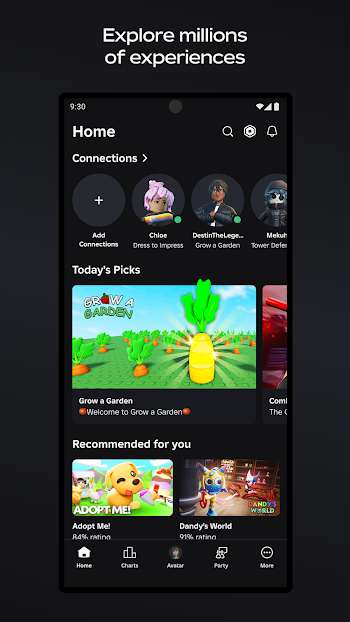
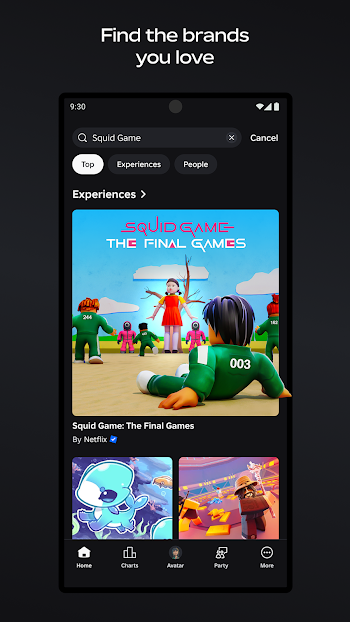
Download Roblox APK to play, create, and explore millions of experiences on Android with smooth performance, avatar freedom, and social fun—start playing today.
Introduction to Roblox APK
Roblox APK is the Android installation package for Roblox, a massive social gaming platform where you can jump into countless experiences made by creators worldwide. Instead of being one single title, Roblox feels like a living arcade that keeps evolving: you can explore, roleplay, compete, build, and hang out with friends in entirely different worlds—often within minutes. The official Google Play listing shows Roblox receives frequent updates (for example, it was updated on January 24, 2026), which is a good sign if you care about stability, new features, and ongoing improvements.
Key Features of Roblox for Android
Smooth, approachable gameplay
Roblox is easy to start because most experiences teach you the basics quickly, and the controls are designed to feel natural on touch screens. The deeper fun comes later—learning movement timing, reacting faster, and understanding each experience’s rules so you can play smarter and improve steadily.
Huge content variety that stays fresh
The biggest strength of Roblox is its variety. You can switch from obstacle courses to simulators, roleplay hubs, action battles, strategy challenges, and more without needing to find a new game every time you get bored. Because creators keep publishing new experiences daily, it’s hard to run out of things to try.
Progression that feels rewarding
Many experiences feature quests, collections, upgrades, cosmetics, and achievements that make each session feel meaningful. Even when you only have a short break, you can still unlock something, earn rewards, or improve your skill, then come back later without feeling lost.
Avatar customization and self-expression
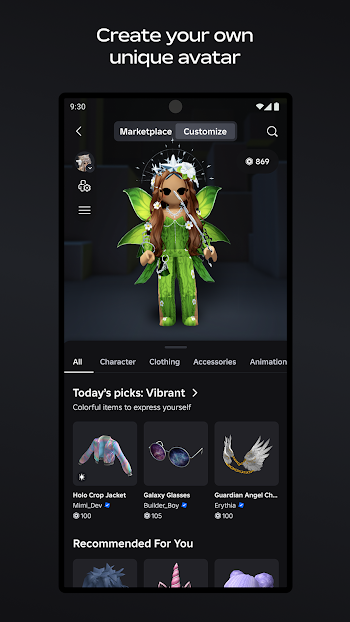
Roblox lets you shape your identity through your avatar: outfits, accessories, animations, emotes, and style choices from the Marketplace. This is a big reason Roblox stays fun long-term, because you’re not just “playing”—you’re building a personal look that evolves with your taste.
Cross-device play with friends
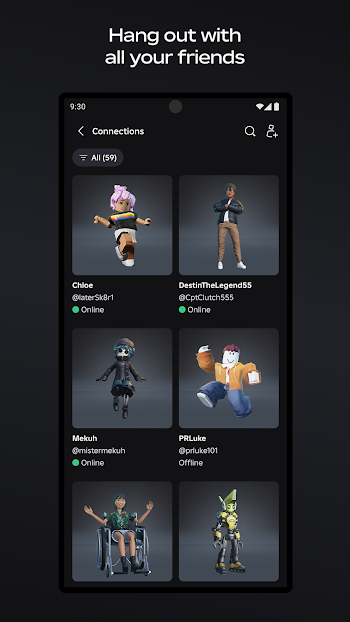
Roblox supports playing across different device types, which makes it easy to keep your friend group together even if everyone uses different hardware. If you like games that feel social first and competitive second, Roblox delivers that “meet up and do something fun” energy consistently.
Built-in safety tools for families
Roblox includes family-focused controls that let parents link their account to a child’s account and manage settings and insights such as usage and connections. If your audience includes younger players or families, this is an important trust point worth highlighting in a review.
Why You Should Play Roblox?
Quick sessions, big entertainment
Roblox works great for busy schedules because you can open the app, join an experience, and start having fun immediately—no long setup, no complicated onboarding. It’s the kind of platform where “just 10 minutes” often turns into a satisfying session.
You can always find a play style that fits
Some days you want relaxed exploration, other days you want challenges, and sometimes you just want to chat and vibe. Roblox supports all of that because the community builds experiences for every mood.
It rewards improvement
Roblox isn’t only about collecting items—it’s also about skill growth. The more you play, the better you get at movement, decision-making, teamwork, and reacting under pressure, especially in competitive experiences.
Tips and Tricks to Play Roblox Better
Learn the basics first, then specialize
Roblox has so many experiences that it helps to master universal fundamentals: camera control, movement timing, sensitivity settings, and how each experience communicates objectives. After that, pick a few favorite experience types and get good at them instead of jumping randomly every time.
Prioritize early milestones inside each experience
Most experiences are designed with “starter progression” that unlocks key features quickly. Focus on early quests, beginner tasks, and simple achievements first—this is usually the fastest path to better rewards and smoother gameplay.
Spend Robux carefully
Robux is the in-game currency used for Marketplace items and certain purchases. If you do spend, prioritize items that you’ll enjoy across many experiences (classic avatar pieces, versatile cosmetics, emotes) rather than one-off choices you might drop next week.
Use Wi-Fi when possible
Roblox requires a network connection and the official listing notes it works best over Wi-Fi, so stable internet often makes the biggest difference in smooth gameplay and loading reliability.
Join social features the smart way
Parties, groups, and friend play can make Roblox more fun and help you learn faster, especially in experiences with complex mechanics. If you’re a parent or playing with younger users, review family controls and communication settings to keep the experience comfortable.
Pros and Cons Roblox Latest Version
Pros
Roblox APK offers an endless library of experiences with real variety, strong avatar customization, and a social-first vibe that works perfectly for friend groups. Frequent updates help keep the platform improving, and cross-device play makes it easy to stay connected.
Cons
Because content is community-made, quality can vary between experiences, and some competitive experiences may feel tough if you’re new. Also, since Roblox is always online, your connection quality directly affects how smooth sessions feel.
Compatibility and System Requirements
Android compatibility
Roblox Support currently lists Android OS 8.0 or higher as the requirement, and Android devices need OpenGL ES 3.0 support.
Recommended basics for stable gameplay
For a smoother experience, keep enough free storage for updates, close heavy background apps, and keep your device cool during long sessions—heat and low memory are common causes of stutter on Android.
Common fixes for lag or loading issues
If performance drops, free storage space, restart the device, update Roblox to the latest version, and confirm your internet stability. Roblox Support also recommends keeping Android up to date for the best results.
Conclusion
Roblox APK is one of the best choices on Android if you want variety, creativity, and social fun in one place. You can explore millions of experiences, express yourself through your avatar, and keep your sessions fresh by switching experience types whenever you want. With frequent updates, cross-device play, and family-focused controls, Roblox stays relevant for both casual players and long-term fans—especially if you play on stable Wi-Fi, manage performance basics, and focus on a few favorite experiences to improve faster.