

SeaArt AI APK 3.38.0
Download SeaArt AI APK to create AI images and videos on Android with fast tools, a massive model library, and pro options like LoRA/ControlNet—start in minutes.
Introduction to SeaArt AI APK
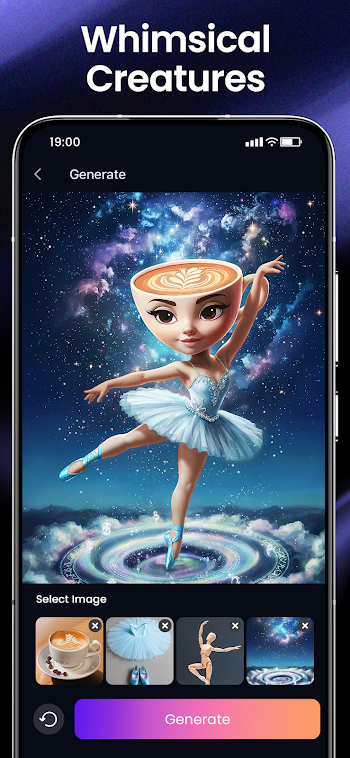
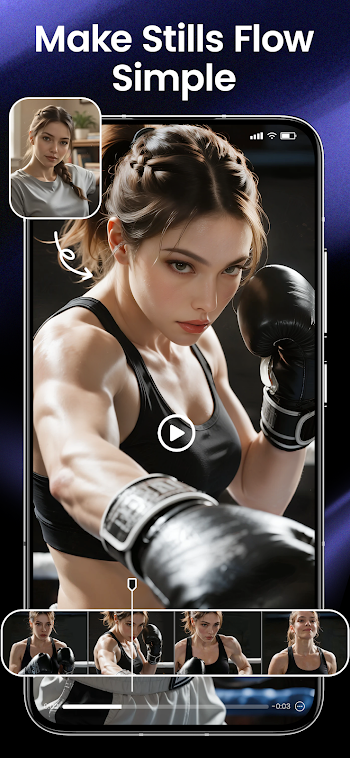
SeaArt AI APK is the Android install package for SeaArt.AI, an AI creation app built to help you generate and edit high-quality images and videos without needing professional skills. The first thing you’ll notice is how quickly you can go from an idea to a result: type a prompt, pick a style, tweak a few controls, and the app produces multiple outputs within seconds. On Android, that speed matters because you’re often creating on the go—during short breaks, late-night sessions, or quick content runs before posting. SeaArt AI keeps the experience approachable for beginners while still offering deeper controls for advanced users, including text-to-image, image-to-image, text-to-video, image-to-video, partial repainting, plus creator-grade tools like LoRA and ControlNet.
Key Features of SeaArt AI for Android
Smooth, beginner-friendly interface
SeaArt AI is designed for quick wins: the core flow is simple—describe what you want, generate, then refine—so even first-time users can create something shareable fast. At the same time, the app supports professional-style parameter adjustments, making it easy to start casual and grow into more precise control as your skills improve.
Useful tools and feature variety
Beyond generation, SeaArt AI includes practical editing tools that creators actually use in real workflows, such as background removal, face swap, character repair, sketch-to-image, filters, and more—ideal for thumbnails, social posts, product visuals, and quick design drafts without jumping between multiple apps.
Customization that fits your style
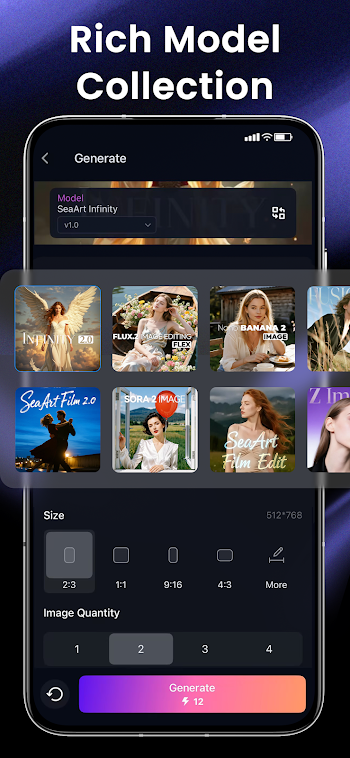
If you like building a repeatable “look,” SeaArt AI’s ecosystem supports model-driven styling across many aesthetics—anime, 3D, digital art, oil painting, abstract, and more—so you can stay consistent across a series (YouTube thumbnails, TikTok covers, brand visuals) instead of reinventing your style every time. The app also integrates a huge model library reported as 980k+ models, which is a major advantage when you want variety without hunting for external resources.
Performance, stability, and consistent updates
SeaArt AI on Google Play shows an active update cadence (for example, the main app listing displays an update on Feb 20, 2026), which is a good signal if you care about ongoing improvements and new capabilities like upgraded video generation options.
Why You Should Use SeaArt AI?
Quick setup, instant usefulness
If your goal is “install → create → share,” SeaArt AI fits perfectly. The core tools deliver value immediately: you can generate multiple variations fast, choose the best one, then do light edits without leaving the app.
Better control and productivity
SeaArt AI isn’t just about flashy outputs—it’s built around productivity helpers that streamline creation. When you can iterate quickly (generate, refine, regenerate), you spend less time stuck and more time moving forward, especially useful for content creators who need consistent visuals on a schedule.
Flexible usage for different users
SeaArt AI works well for two very different groups: casual users who want fun results with minimal effort, and advanced users who want deeper control through tools like LoRA and ControlNet, plus partial repainting and more technical options. That flexibility is what makes it stick as a daily app instead of a one-week experiment.
Connected features
If you switch devices or create in multiple sessions, connected features make a difference. SeaArt AI Lite, for instance, highlights data synchronization for a seamless creative experience across platforms, and it’s positioned as an optimized option for lower-end devices or limited data situations.
Tips and Tricks to Use SeaArt AI Better
Set up the essentials first
Right after install, set your basics: language, storage permissions (only what you truly need), and any account/login option if you want syncing. A clean setup prevents annoying issues later like missing saves or unexpected upload prompts.
Learn the “core workflow”
Pick your top 2–3 actions and get good at them first—most users win fastest by mastering (1) text-to-image, (2) image-to-image, and (3) a simple edit step (background removal or quick retouch). Once that becomes automatic, exploring advanced controls feels much easier.
Manage permissions wisely
Enable only what matches your use case. If you’re not uploading photos often, you may not need broad media access. Keeping permissions minimal helps avoid weird behavior and keeps your phone cleaner.
Keep storage clean for smoother performance
AI apps can generate a lot of cache and saved outputs. If you notice slowdowns, clear unnecessary files, export your favorites, and keep enough free space so updates install smoothly and the app stays stable.
Update regularly, but avoid rushed installs
Staying current matters because AI apps evolve quickly. Update when you can, but if you hit bugs after a major update, restart your device first, then re-check key settings before doing a full reinstall.
Use built-in support and community resources
SeaArt AI’s community angle is a huge shortcut: you can explore works, copy settings, and learn what prompt structures produce reliable results. It’s one of the fastest ways to level up without spending weeks testing from scratch.
Pros and Cons SeaArt AI Latest Version
Pros
Fast, beginner-friendly creation flow with room to grow into advanced controls
Strong mix of generation + editing tools (background removal, face swap, sketch-to-image, and more)
Massive model variety (reported 980k+ models) for flexible styles and consistent visual identity
Active updates shown on Google Play, helping keep features and performance moving forward
Cons
Advanced tools (LoRA/ControlNet/parameter tuning) can take time to learn if you’re totally new
Older devices may slow down during heavy generation, especially video tasks (using Lite can help)
Like many AI apps, quality depends a lot on your prompt clarity and chosen model/style
Compatibility and System Requirements
Android compatibility
SeaArt AI is available on Google Play for Android. For exact compatibility, the safest approach is to check the Play Store listing on your device (because requirements can differ by region/device model).
Recommended basics for stable use
For smoother use, aim for a modern Android version, enough free storage for caching outputs, and sufficient RAM so the app doesn’t reload when switching apps. If your phone is mid-range or older, expect better results when you keep background apps closed during heavy creation.
Performance tips for low-end devices
If you’re using a budget phone, consider SeaArt AI Lite, which is positioned as lightweight, optimized for low-end devices, and designed to reduce wait times while keeping creation simple.
Common fixes for lag, crashes, or loading issues
Free up storage, confirm permissions, update to the newest stable build, and check your internet stability (especially for online generation). If issues persist, clear cache/data, restart the device, then sign in again if you use sync.
Conclusion
SeaArt AI APK is a strong choice if you want an Android app that feels quick to learn but powerful once you explore deeper. With text-to-image, image-to-image, AI video generation, practical editing tools, and creator-grade options like LoRA and ControlNet, it supports both casual fun and serious content workflows. The biggest advantage is range: a massive model library plus community-driven inspiration means you can iterate fast, develop a consistent style, and keep your output fresh without extra apps or complicated setup.