

Turbo VPN APK 4.2.9.12
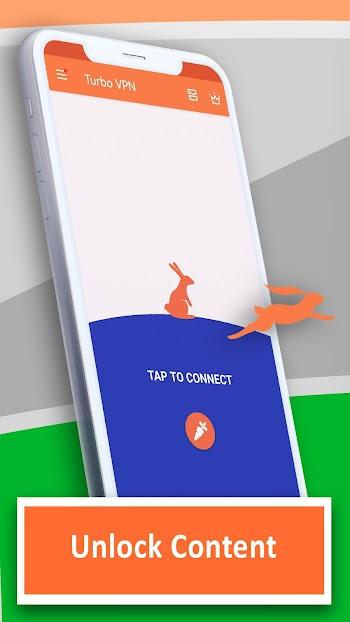

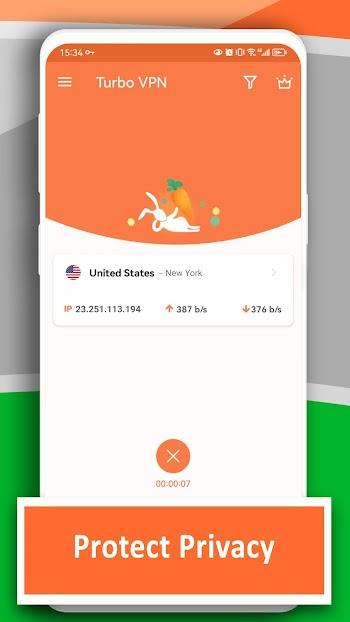
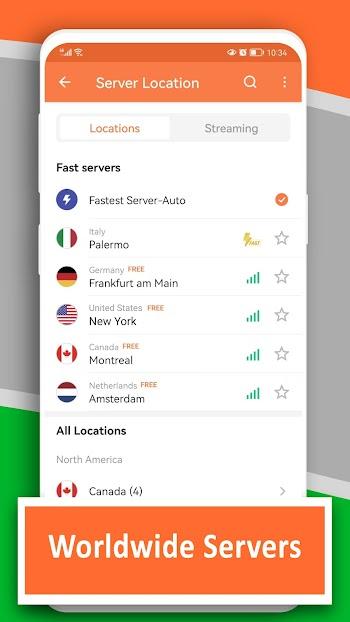
Download Turbo VPN APK to unlock fast, stable VPN access on Android with one-tap setup, global servers, and privacy tools for safer browsing in minutes.
Introduction to Turbo VPN APK
Turbo VPN APK is an Android installation package that helps you get Turbo VPN on your phone quickly and start using its core tools without unnecessary friction. On the official listing, the app positions itself as a free VPN proxy built around fast connections, stable servers, and a smoother way to access online content with more privacy than a standard connection.
If you want a VPN that feels simple on first launch but still covers daily needs like browsing, streaming, and staying safer on public Wi-Fi, Turbo VPN focuses heavily on one-tap usability, broad network support, and performance tuning through ongoing updates.
Key Features of Turbo VPN for Android
Smooth, beginner-friendly interface
Turbo VPN leans into “tap once and go.” The Google Play description emphasizes quick access and ease of use, which is exactly what you want when you’re switching networks often or just need a fast connection before opening an app or website.
Useful tools and feature variety
At its core, Turbo VPN is built for the essentials: connect to a VPN server, change your routing path, and access online resources with fewer restrictions than your default network might allow. The official description highlights stable VPN servers and a focus on privacy while using the web and apps.
Customization that fits your style
Turbo VPN’s ecosystem is designed to work across devices, and the official site encourages using an account to sign in across platforms for a smoother multi-device routine. That’s helpful if you like keeping the same preferences without redoing everything from scratch.
Performance, stability, and consistent updates
Release notes on APKMirror frequently mention network optimization and bug fixes, which matters because VPN quality is mostly about consistency, not hype. When updates focus on stability, you feel it during long browsing sessions or when switching between Wi-Fi and mobile data.
Why You Should Use Turbo VPN?
Quick setup, instant usefulness
If you want something you can install and understand instantly, Turbo VPN is built for speed from the first tap: connect, pick a server if needed, and start using your apps normally. The app’s own positioning is “fast and stable,” which is what most people actually care about day to day.
Better control and productivity
A VPN is not just for “unblocking.” It can also help you reduce exposure on shared networks by routing your traffic through a protected tunnel, which is especially useful when you’re working, signing in to accounts, or doing anything sensitive on public Wi-Fi. Turbo VPN’s support materials explicitly emphasize strong encryption as part of its security approach.
Flexible usage for different users
Some people only need a VPN occasionally (quick browsing, short sessions), while others keep it running for long periods. Turbo VPN markets itself as usable for both: fast entry-level use with stable servers, plus options that scale up when you want more control.
Connected features
If you like syncing across devices, Turbo VPN’s website presents sign-in as part of its cross-device story, which can keep your workflow consistent when you switch between phone and desktop.
Tips and Tricks to Use Turbo VPN Better
Set up the essentials first
After installation, confirm your basic preferences (language, auto-connect behavior if offered, and notifications). Keeping the setup clean helps you avoid random prompts later.
Learn the “core workflow”
Pick your two most-used actions—usually “Quick Connect” and “Choose a region/server”—and make those feel automatic before you explore anything else. VPNs feel best when they disappear into the background.
Manage permissions wisely
Grant only what makes sense for your use case. If something feels unrelated to VPN operation, treat it as optional and review it carefully.
Keep storage clean for smoother performance
VPN apps can update often. Leave enough free space so updates install cleanly and you don’t get stuck on an older build with performance issues.
Update regularly, but avoid rushed installs
Version notes commonly mention performance improvements and fixes, so staying current is usually worth it. If anything feels off after an update, restart your device and reconnect before you consider a reinstall.
Use built-in support resources
Turbo VPN maintains a support center that explains security-related features (including encryption). If you want to understand what’s happening under the hood, those articles are a solid starting point.
Pros and Cons Turbo VPN Latest Version
Pros
Turbo VPN is easy to start, quick to connect, and positioned around stable performance for everyday browsing.
It supports security-focused protection with encryption highlighted in official support materials, which is a key baseline for any VPN tool.
It’s broadly distributed and updated regularly, with release notes referencing network optimization and bug fixes.
Cons
Like many VPN apps, real-world speed can vary depending on server load, distance, and your current network quality.
Privacy expectations should stay realistic: a VPN can improve privacy, but it’s not a magic invisibility switch—always read the policy and understand what data may be collected. Turbo VPN publishes a detailed privacy policy with an effective date of June 24, 2025.
Some independent reporting has raised broader concerns about certain free VPN apps (including Turbo VPN) and potential ties via SDK signals; these reports don’t automatically prove wrongdoing, but they’re worth knowing if you’re choosing a VPN primarily for privacy.
Compatibility and System Requirements
Android compatibility
Turbo VPN typically requires Android 6.0 or higher on common APK distributions, and recent variants listed on APKMirror also show Android 6.0+ as the minimum for those builds.
Recommended basics for stable use
For a smoother experience, keep free storage for updates, avoid running too many heavy apps in the background, and use a stable Wi-Fi or mobile connection before judging speed.
Performance tips for low-end devices
Turn off any extras you don’t need, keep background apps minimal, and reconnect to a nearer server when performance dips. Heat and low free memory can make VPN switching feel slower than it should.
Common fixes for lag, crashes, or loading issues
Free up storage, update to the latest build, restart the device, and reconnect. If issues persist, clear app cache/data and set up the connection again from a clean state.
Conclusion
Turbo VPN APK is a strong pick if you want a VPN that installs quickly and feels straightforward from the first use, while still offering the core benefits people expect: stable connections, easier access to online content, and better privacy than an unprotected public network. Its update notes regularly mention stability improvements, and its support materials highlight encryption as part of the security foundation, which is essential for a VPN you can rely on daily.
If privacy is your top priority, pair the app with smart habits: read the policy, manage permissions carefully, and stay cautious with unknown websites even when a VPN is active.